Digital Guide · smt-TV
Step by step to the maximum from smt-LISTINGS.
More reach, better reviews and efficient data management: in three short video tutorials we show you how to use smt-LISTINGS to its full potential and get the most out of your online presence. The videos are in German.
- 3tutorials, 4 to 9 minutes each
- 1app for data, reviews and posts
- 0platforms in sync per location
- 0prior knowledge needed
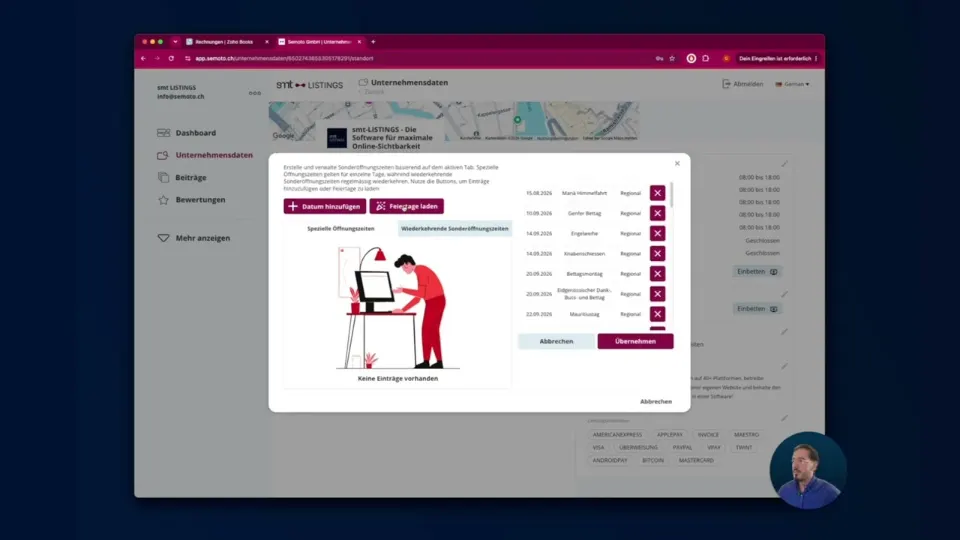
Digital Guide Pt. 1 · Data management
Maximum visibility on Google, AI and Maps.
This video shows you how to maintain your business data centrally in smt-LISTINGS and keep it automatically in sync on more than 50 platforms – from Google and Apple Maps to Siri and ChatGPT. Opening hours, addresses, attributes and photos: entered once, correct everywhere.
To get started: create your location, check the data, connect the platforms. After that, everything keeps itself up to date.
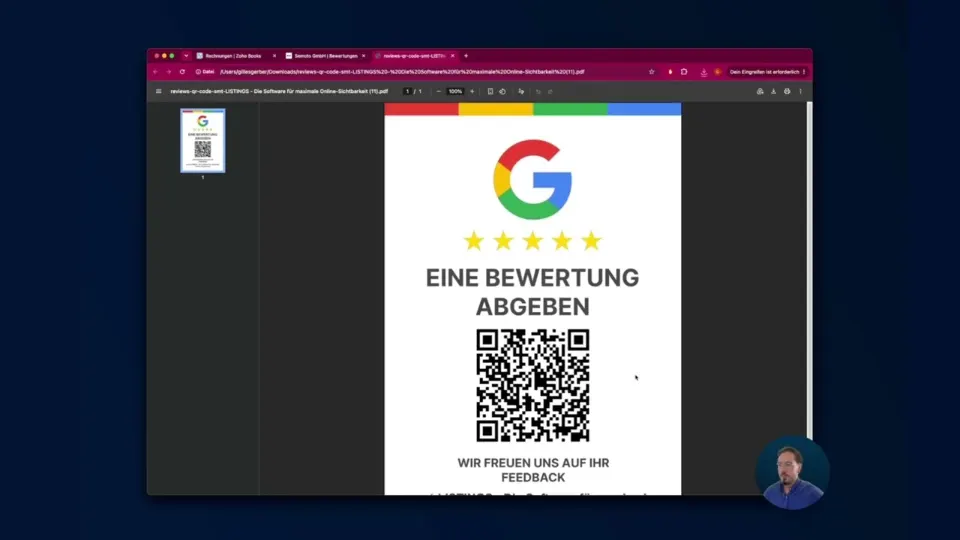
Digital Guide Pt. 2 · Review management
More reviews. More trust.
Learn how to manage your online reviews centrally across all platforms and save time with smart AI support. Collect more 5-star reviews on purpose and increase your local visibility and your customers' trust – controlled from one app.
In the video: answer reviews with AI suggestions, create review links and QR codes, embed the widget on your website.
Going further
If you want to dig deeper.
Website integration manual
Connect opening hours, the review widget and the blog function to your website step by step – so your data keeps itself up to date.
Features in detail
What smt-LISTINGS does for data management, reviews, social media and websites – with all platforms and integrations.
Personal support
Stuck? Send us a screenshot of where you are – we usually reply the same working day.
Next step
Will you be our next success story?
With your smt-LISTINGS subscription you support Buy Food with Plastic and help tackle two global problems: plastic pollution and hunger. Not a customer yet? We check for free where your business is found today.
Digital Guide Pt. 3 · Social media
Create content once. Visible everywhere.
Learn how to create your posts once and publish them everywhere with a single click. Use AI for copy and content ideas, schedule posts in advance and gain more reach with minimal effort.
In the video: write a post, select platforms, schedule publication – for Google, Facebook, Instagram, LinkedIn and your own website.